First Schema Change in 5 Minutes - Bytebase Docs
Learn Bytebase’s schema change workflow using sample databases.
Step 1 - Setup Bytebase
-
Ensure Docker is running, then start the Bytebase container:
docker run --rm --init \
  --name bytebase \
  --publish 8080:8080 --pull always \
  --volume ~/.bytebase/data:/var/opt/bytebase \
  bytebase/bytebase:latest
-
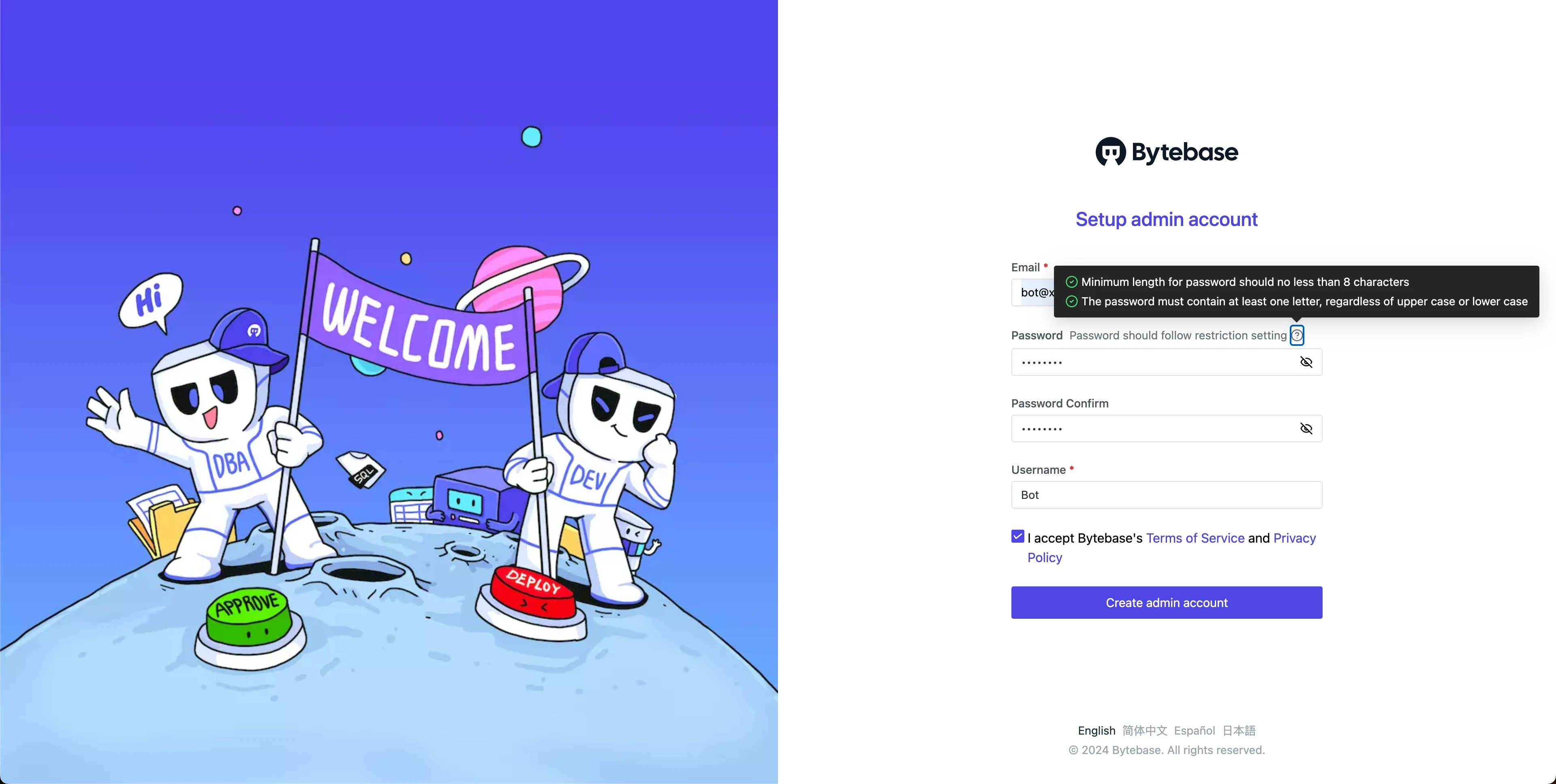
Open Bytebase in localhost:8080, fill in the fields and click Create admin account. You’ll be redirected to Workspace.
-
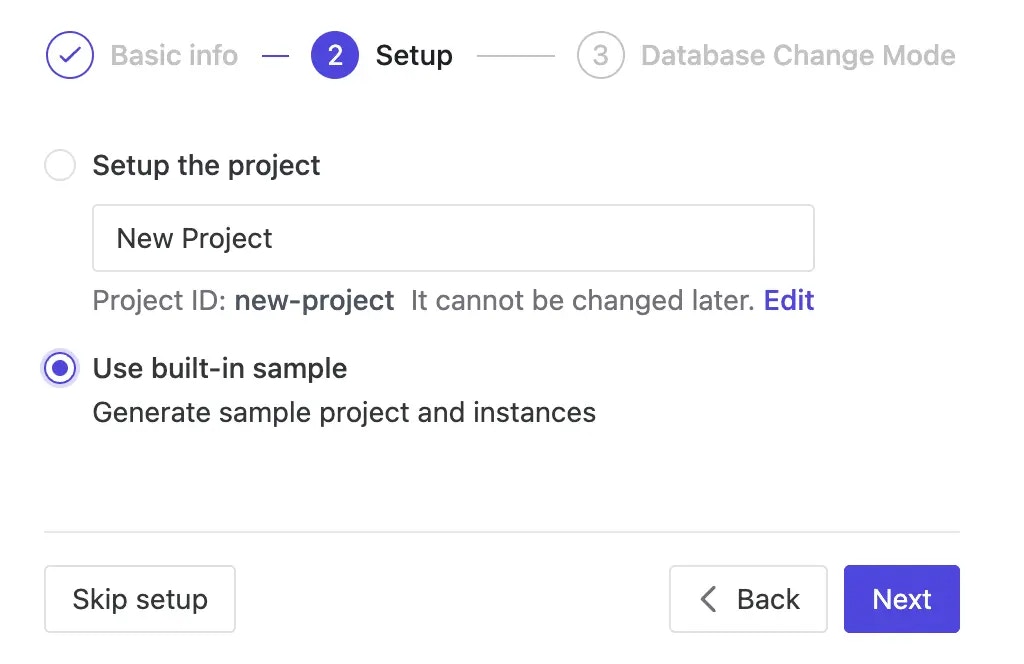
During workspace setup, choose the built-in sample data.
Step 2 - Configure SQL Review
- Navigate to CI/CD > SQL Review and click + Create SQL review.
-
Select
Sample Template(19 enabled rules), click Next. Attach toProdenvironment and confirm.
Step 3 - Create a Plan
- Navigate to CI/CD > Plans and click + New Plan.
-
Select both databases where changes will be applied:
hr_testonTest Sample instancehr_prodonProd Sample instance
-
Add this SQL statement (or use Schema Editor for visual design):
Click Create.
ALTER TABLE public.employee ADD COLUMN IF NOT EXISTS nickname TEXT; -
The plan is then in
Draftstatus. Any SQL review warnings appear because Bytebase automatically checks against your configured policy. Click warnings for details.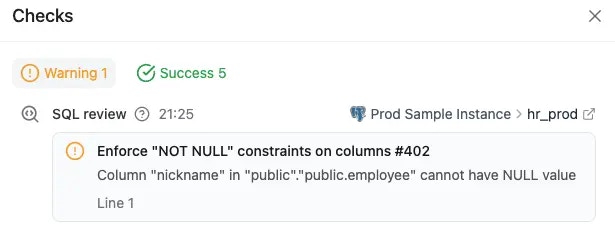
Step 4 - Review and Approve
-
Fix the warning by adding
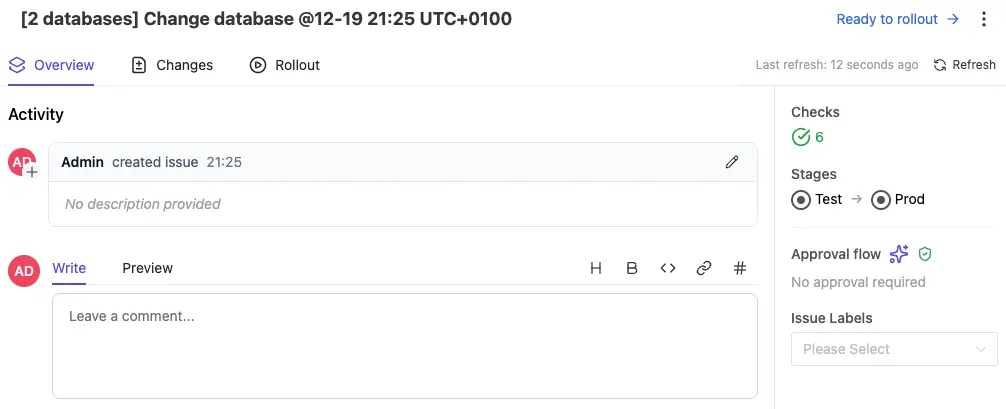
NOT NULL DEFAULT '':Click Save. The checks rerun and pass.ALTER TABLE public.employee ADD COLUMN IF NOT EXISTS nickname TEXT NOT NULL DEFAULT ''; - Click Ready for Review to convert the plan into an issue and submit for approval.
-
No approval is required for this change.
Step 5 - Deploy Changes
-
In the Rollout section, both Test and Prod deployments are ready.
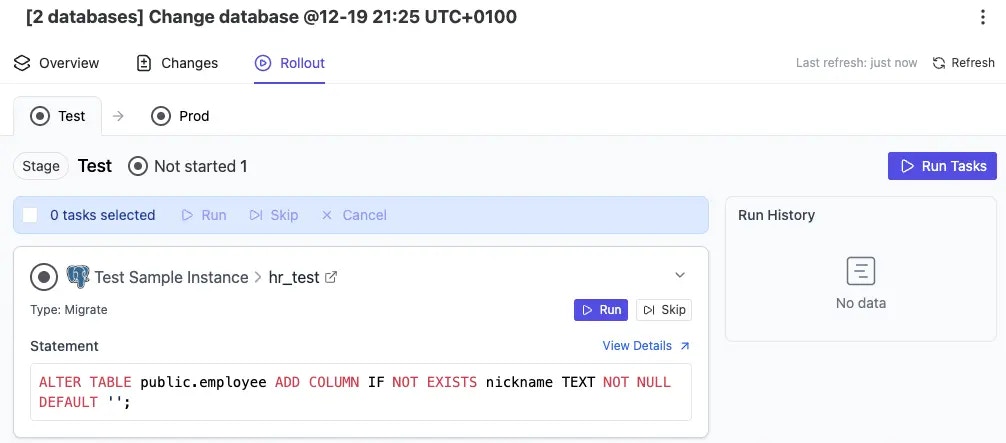
- Click Run for Test, then for Prod after success.
-
Once complete, the issue is marked
Done.
Next Steps
You’ve completed your first schema change. Continue with:
- Move Schema Changes from Test to Prod - for environment transitions
- Deploy with Rollout Policy - for manual rollouts
- Custom Approval Flow - for adding approvers