A List of Useful Command Line Tools in 2026
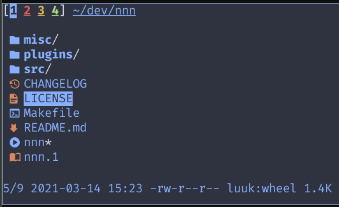
nnn file browser/manager
A super fast, fully-featured terminal file manager with a
minimalistic interface and less/VIM-like keybindings (navigation
with hjkl, search with /,…).
Also offers some useful plugins like instant preview, open with
,
go to git main directory
, etc.
As an alternative to the usually pretty outdated versions in OS packages you can just donwload one of the statically linked executables on the GitHub release page .
broot file browser/manager
Fast file browser and manager that displays a tree that is automatically partially collapsed so it fits the terminal height. By default the primary mode of navigation is a super-fast search, but one can also switch to a VIM-like modal interface. Broot offers working with multiple panes and a staging area for operations on multiple files. The instant preview pane can also diplay images right out of the box.
Broot runs on Linux, Android, Windows 10+ and OSX. Binaries can be downloaded from here .
 cargo install --locked --path .
 pkgin install broot
 emerge broot
 apk install broot
 port install broot
ranger file browser/manager
A console file manager with VI key bindings. It provides a minimalistic and nice curses interface with a view of the directory hierarchy.
 apt install ranger mediainfo
 pip install ranger-fm
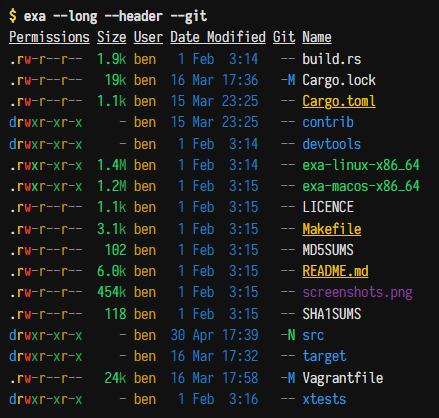
exa file lister
An improved file lister with more features and better defaults. It uses colors to distinguish file types and metadata. It knows about symlinks, extended attributes, and Git. And it's small, fast, and just one single binary.
 apt install exa
 dnf install exa
 emerge sys-apps/exa
 nix-env -i exa
 pacman -S exa
 zypper install exa
 brew install exa
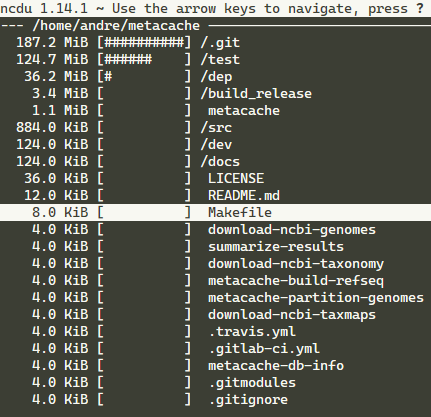
ncdu disk usage analyzer
A disk usage analyzer with an ncurses interface. It is designed to find space hogs on a remote server where you don't have an entire graphical setup available, but it is a useful tool even on regular desktop systems.
Packages are available for almost all operating systems.
duf disk usage analyzer
disk usage/free utility
 apt install duf
 nix-env -iA nixpkgs.duf
 pacman -S duf
 pkg install duf
 pkg_add duf
 xbps-install -S duf
 brew install duf
 choco install duf
 scoop install duf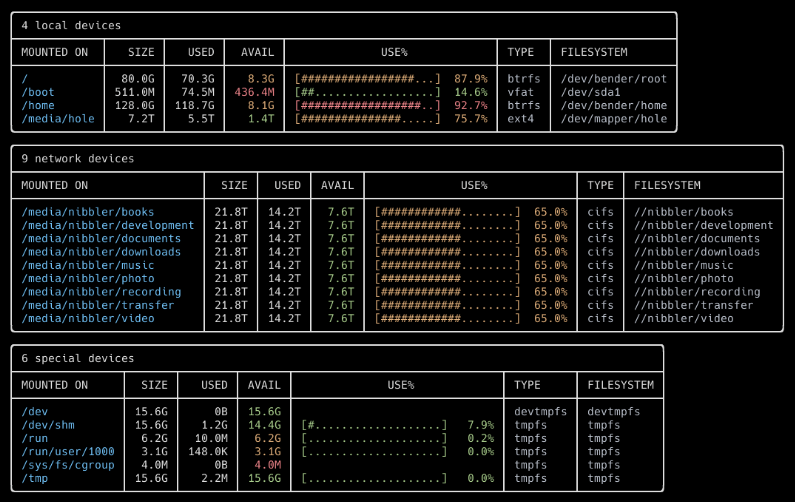
fasd quick file/directory access
A command-line productivity booster. Fasd offers quick access to files and directories for POSIX shells. It is inspired by tools like autojump, z and v. Fasd keeps track of files and directories you have accessed, so that you can quickly reference them in the command line.
 apt install fasd
 dnf install fasd
 pacman -S fasd
 brew install fasd
fd convenient file finder
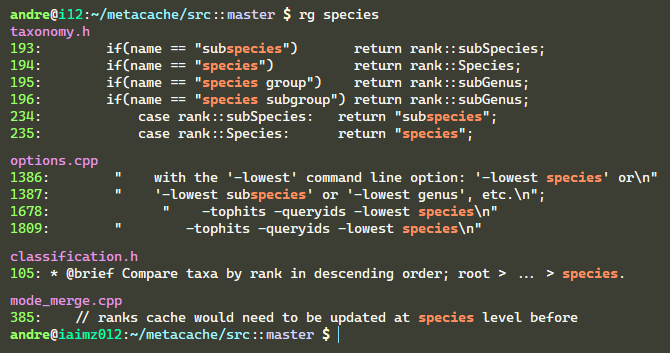
ripgrep super-fast search tool
A line-oriented search tool that recursively searches the current directory for a regex pattern. Orders of magnitude faster than grep. By default, ripgrep will respect gitignore rules and automatically skip hidden files/directories and binary files.
 apt install ripgrep
 dnf install ripgrep
 emerge sys-apps/ripgrep
 pacman -S ripgrep
 pkg install ripgrep
 brew install ripgrep
 choco install ripgrep
 scoop install ripgrep
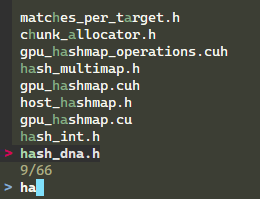
fzf general-purpose fuzzy finder
A general-purpose command-line fuzzy finder. It's an interactive Unix filter for the command-line that can be used with any list; files, command history, processes, hostnames, bookmarks, git commits, etc.
 apt install fzf
 apk add fzf
 dnf install fzf
 nix-env -iA nixpkgs.fzf
 pacman -S fzf
 pkg install fzf
 pkg_add fzf
 pkgin install fzf
 xbps-install -S fzf
 zypper install fzf
 brew install fzf
 choco install fzf
 scoop install fzf
 conda install -c conda-forge fzf
peco interactive finder
Simplistic interactive tool for on-the-fly filtering. Useful for filtering stuff like logs, process stats.
 apt install peco
 pacman -S peco
 brew install peco
 choco install peco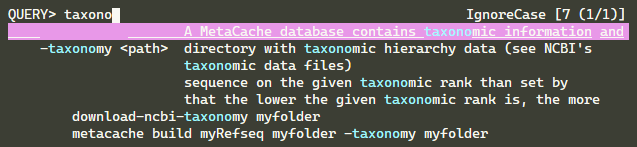
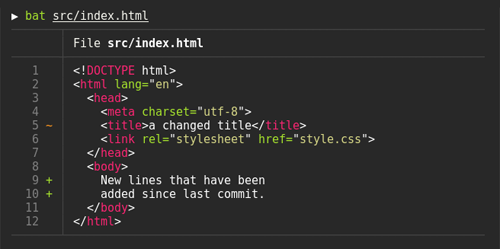
bat cat clone with syntax highlighting
 apt install bat
 apk add bat
 pacman -S bat
 dnf install bat
 emerge sys-apps/bat
 pkg install bat
 pkg_add bat
 nix-env -i bat
 zypper install bat
 port install bat
 choco install bat
 scoop install bat
multitail view multiple files at once
Lets you view one or multiple files like 'tail'. The difference is that it creates multiple windows on your console (with ncurses). It can also monitor wildcards: if another file matching the wildcard has a more recent modification date, it will automatically switch to that file.
 apt install multitail
 brew install multitail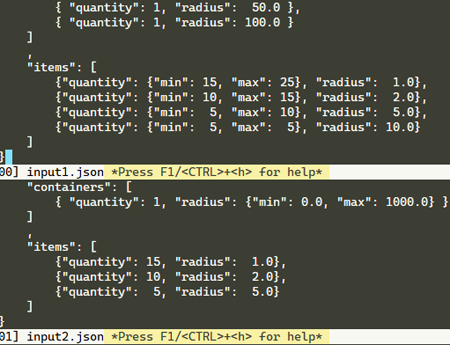
colortail view tail of file with color
Works like 'tail' but can optionally read one or more config files where it's specified which patterns results in which colors. Colortail uses regular expressions to determine which lines and parts of lines to print in which colors.
 apt install colortail
 brew install colortail
colordiff diff with syntax highlighting
A wrapper for 'diff' that produces the same output but with pretty syntax highlighting. Colour schemes can be customized.
 apt install colordiff
 brew install colordiff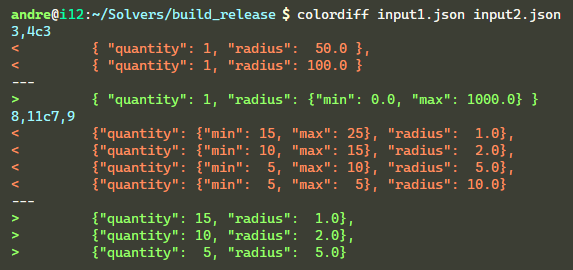
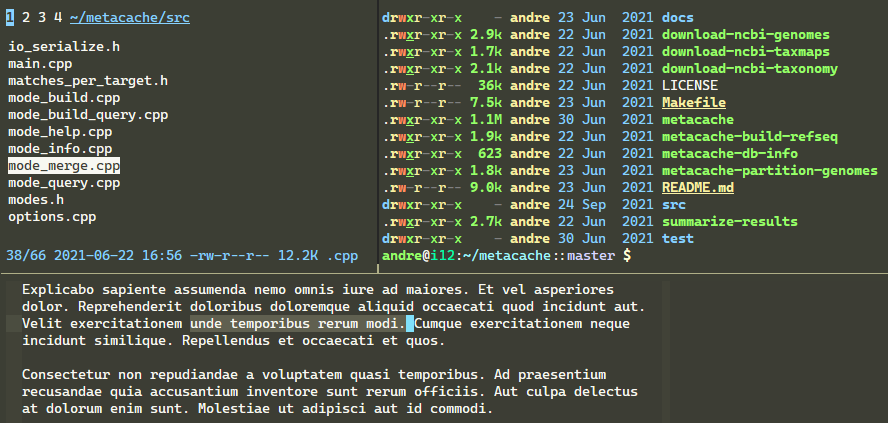
tmux terminal multiplexer
A terminal multiplexer. It lets you switch easily between several programs in one terminal, detach them (they keep running in the background) and reattach them to a different terminal.
 apt install tmux
 dnf install tmux
 pacman -S tmux
 port install tmux
 yum install tmux
 zypper install tmux
 brew install tmux
tldr simplified man pages
The tldr pages are a community effort to simplify the beloved man pages with practical examples. Support for multiple languages.
 apt install tldr
 npm install -g tldr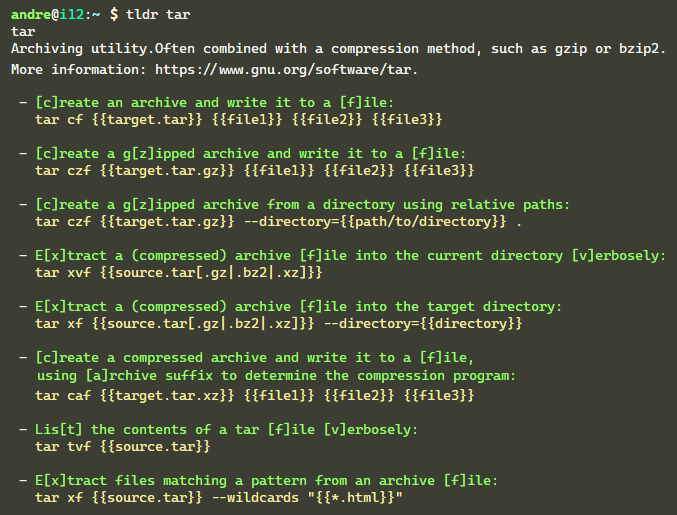
The Fuck corrects previous command
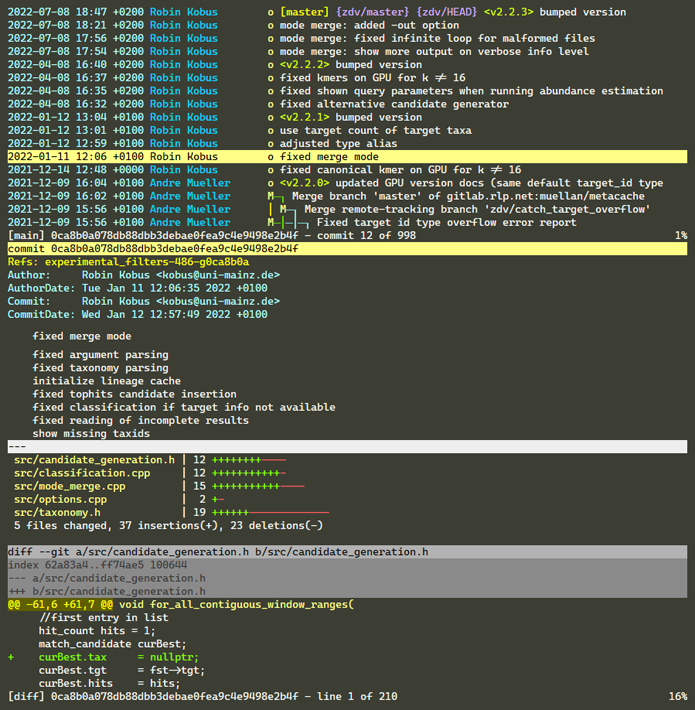
tig git interface / repo browser
An ncurses-based text-mode interface for git. It functions mainly as a Git repository browser, but can also assist in staging changes for commit at chunk level and act as a pager for output from various Git commands.
 apt install tig
 nix-env -i tig
 pkg install tig
 brew install tig
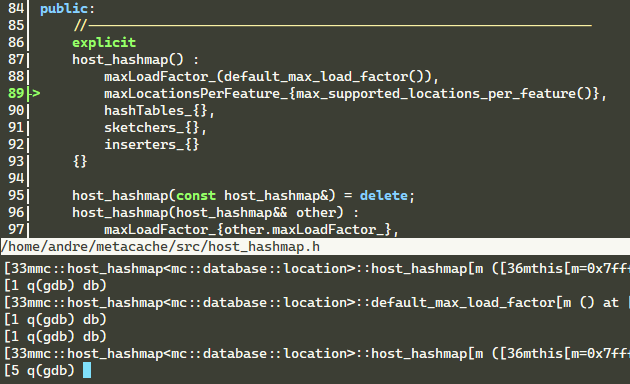
cgdb curses gdb interface
A lightweight curses (terminal-based) interface to GDB. It provides a split screen view that displays the source code as it executes. The keyboard interface is modeled after VIM.
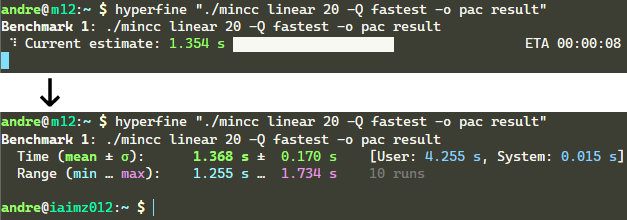
hyperfine timing tool
Benchmarking of executables similar to the classic 'time' command but much more sophisticated.
- statistical analysis across multiple runs
- supports arbitrary shell commands
- constant feedback
- warmup runs
- cache-clearing commands
- statistical outlier detection
- export results to various formats
- parameterized benchmarks
- cross-platform
wget https://github.com/sharkdp/hyperfine/releases/download/v1.14.0/hyperfine_1.14.0_amd64.deb
sudo dpkg -i hyperfine_1.14.0_amd64.deb
dnf install hyperfine
pacman -S hyperfine
apk add hyperfine
nix-env -i hyperfine
brew install hyperfine
port install hyperfine
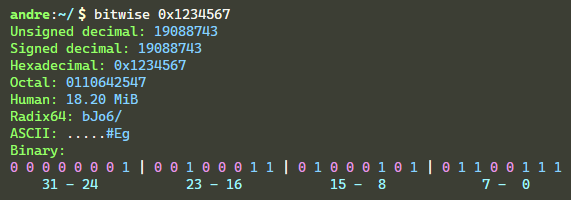
bitwise interactive bitwise converter
A multi base calculator supporting dynamic base conversion and bit manipulation. Also offers an interactive mode navigation. A handy tool for low level hackers.
 apt install bitwise
 snap install bitwise
 zypper install bitwise
 brew install bitwise
 port install bitwise
fx JSON viewer
JSON viewer with less/VIM-like key mappings and mouse support. Nice for browsing large JSON documents; key navigation, (recursive) folding/unfolding, searching, etc.
 pkg install fx
 snap install fx
 brew install fx
 scoop install fx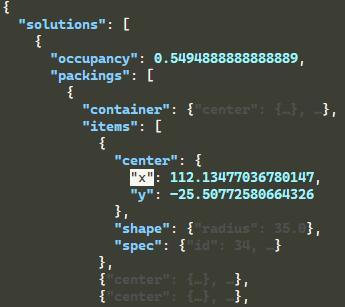
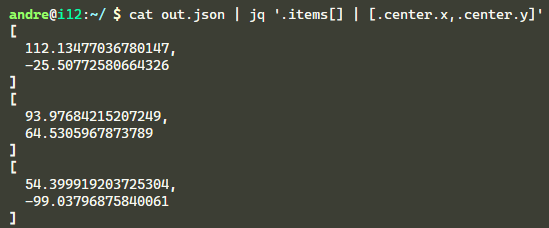
jq JSON processor
A lightweight and flexible command-line JSON processor.
 apt install jq
 dnf install jq
 pacman -S jq
 pkg install jq
 pkgutil -i jq
 zypper install jq
 brew install jq
 port install jq
 chocolatey install jq
yq YAML processor
A lightweight and portable command-line YAML, JSON and XML processor. yq uses jq like syntax but works with yaml files as well as json and xml. It doesn't yet support everything jq does - but it does support the most common operations and functions, and more is being added continuously.
 snap install fx
 brew install fx
pandoc markup converter
Tool to convert between markup formats. Supports docx, epub, fb2, jira, latex, markdown, man, muse, odt, org, rtf, textile, asciidoc, html and more.
 apt install pandoc
 dnf install pandoc
 pacman -S pandoc
 brew install pandoc
 choco install pandoc
 winget install pandoc
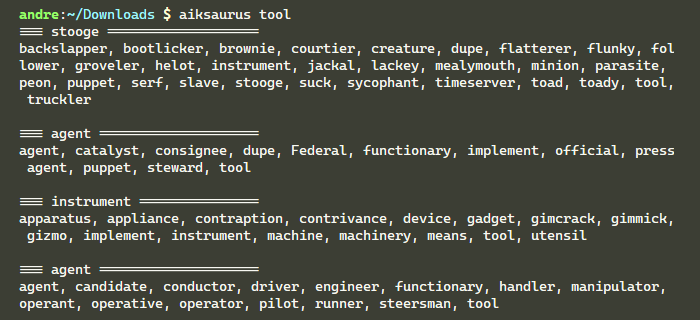
aiksaurus command-line thesaurus
A command-line thesaurus (English only).
grip preview GitHub markdown
Previews GitHub flavored markdown files using GitHub's API. The styles and rendering come directly from GitHub, so you'll know exactly how it will appear. Changes you make to the file will be instantly reflected in the browser without requiring a page refresh.
 brew install grip
 pip install grip
pdf2svg pdf to svg converter
imagemagick image manipulator
Tool to create, edit, compose, or convert digital images. It can read and write images in a variety of formats (over 200) including PNG, JPEG, GIF, WebP, HEIC, SVG, PDF, DPX, EXR and TIFF. ImageMagick can resize, flip, mirror, rotate, distort, shear and transform images, adjust image colors, apply various special effects, or draw text, lines, polygons, ellipses and Bézier curves.
 apt install imagemagick
 brew install imagemagick
pastel color manipulator
A tool to generate, analyze, convert and manipulate colors. It supports many different color formats and color spaces like RGB (sRGB), HSL, CIELAB, CIELCh as well as ANSI 8-bit and 24-bit representations.
 apt install pastel
 pacman -S pastel
 brew install pastel
 scoop install pastel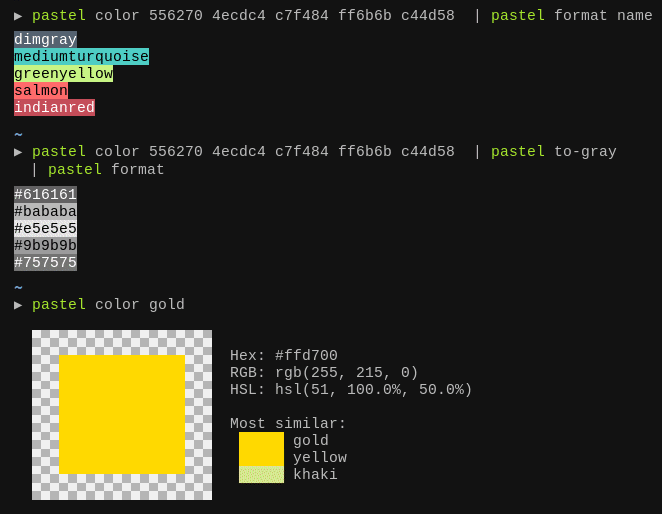
deadlink find dead links in text files
Parses text files for HTTP URLs and checks if they are still valid.
asciinema terminal recorder
Lets you record terminal sessions and replay them in a terminal as well as in a web browser.
 apt install asciinema
 brew install asciinema
 pip install asciinema
Last updated: 2022-09-17
Found this useful? Share it: