Image-Gallery Web Pages for Folders
thumbspage — Turn Folders into HTML Image Galleries
This Python program builds web pages for user-friendly viewing of all the images in a folder. Its results do not require a web server and can be viewed in any desktop or mobile browser, both offline and online. They may also be easily customized and can be enhanced with notes when it's useful to narrate your pictures. As such, thumbspage makes general image galleries, useful in a wide variety of contexts, including documentation, photo sharing, and regular viewing.
Click this page's images for quick live demos. Its contents:
- Overview — the elevator summary
- Logistics — installs, platforms, releases
- Resources — demos, docs, code
- Download — package fetch and browse
Overview
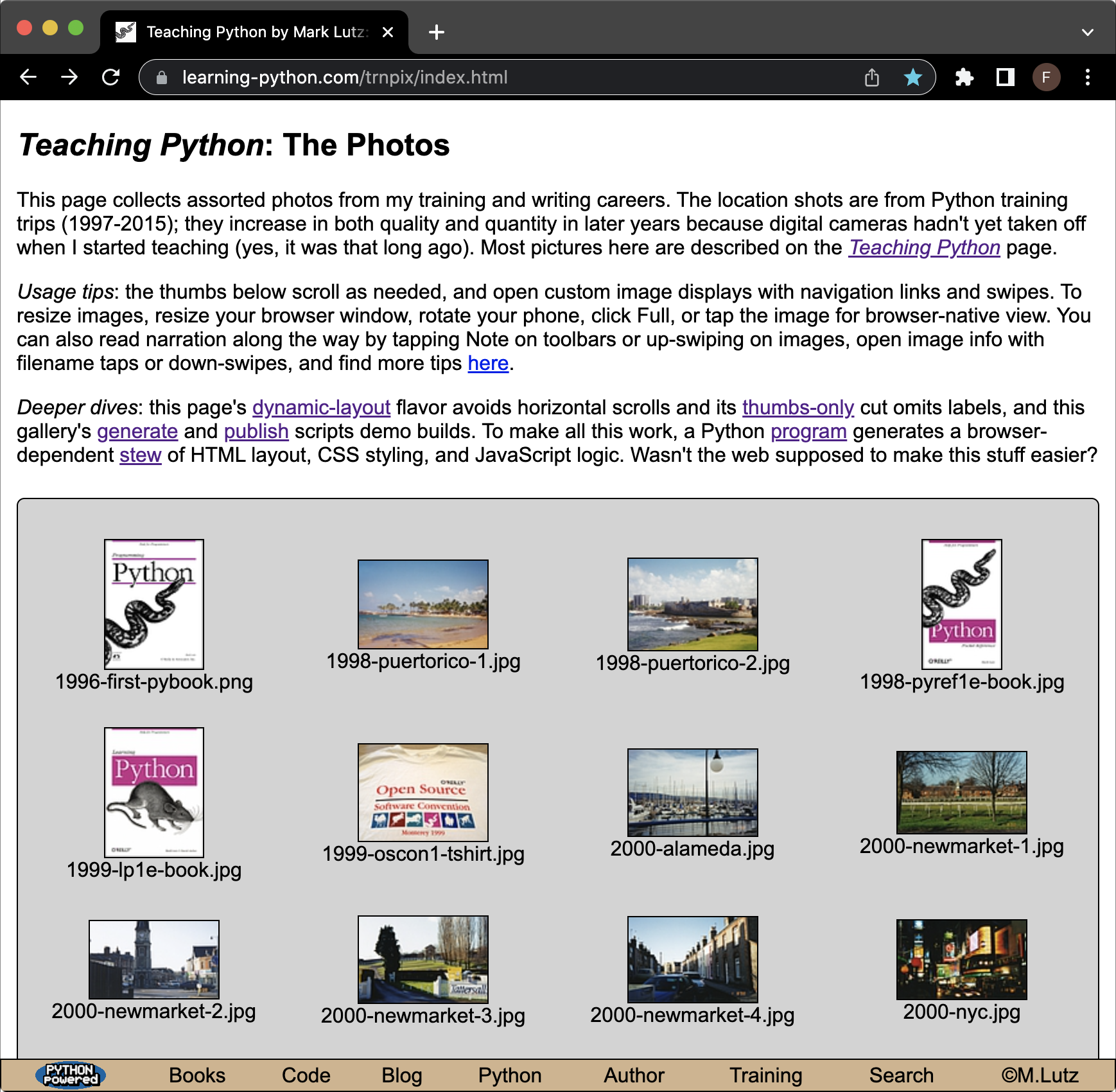
thumbspage allows you to view or display a folder of photos and other images in a web browser, in a format that's both simple and noticeably better than browser defaults.
The thumbspage script automatically generates all the scaffolding needed to make this work. Given an image-files folder, along with any gallery options you choose to provide, it builds:


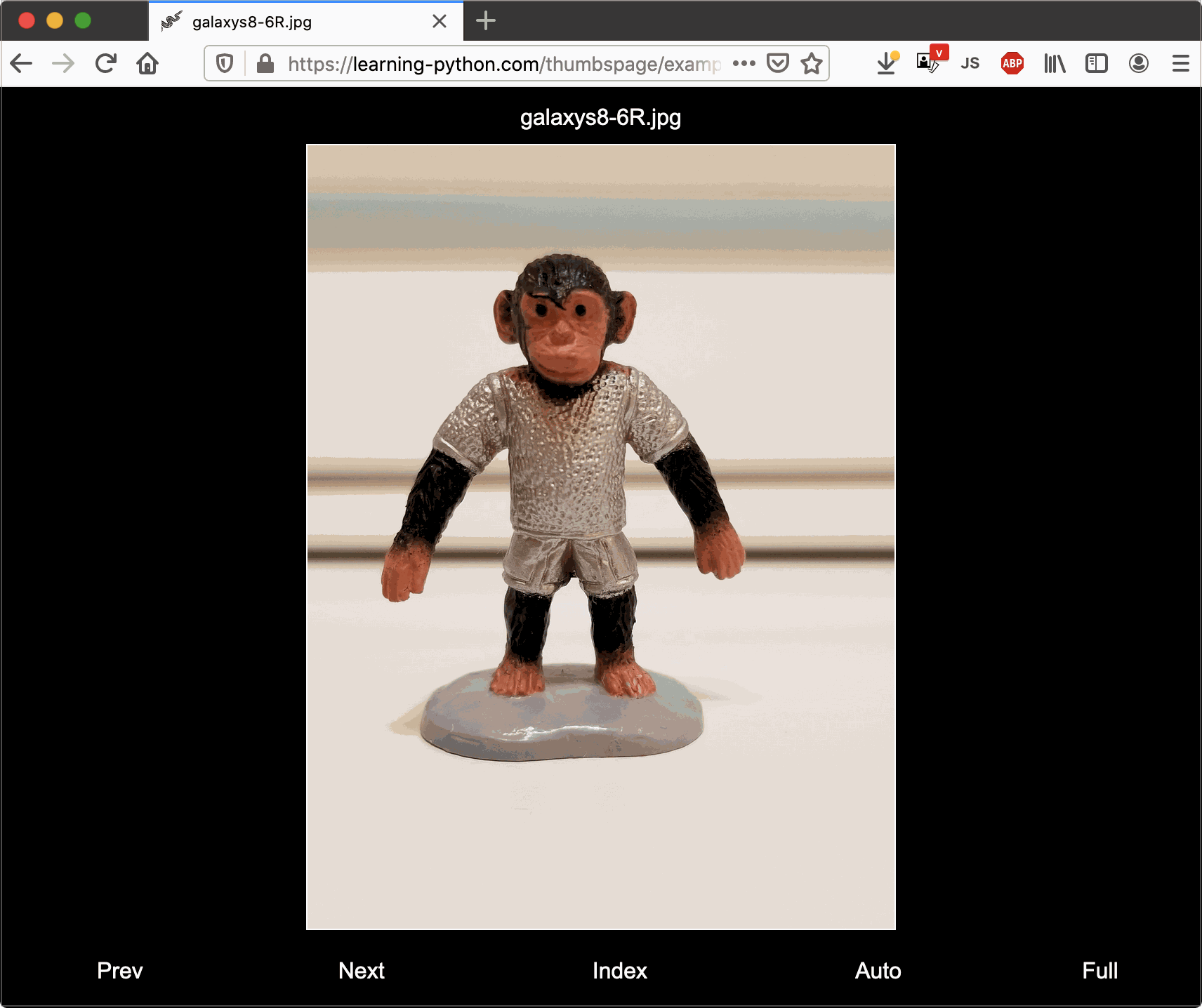
When clicked or tapped, thumbnails on the index page open viewer pages by default but can also open browser-native views. The index page may also include bullet links to nested subfolders in the images folder. Viewer pages in turn show the full-size image, automatically scaled to the display. They also come with navigation links, slideshow and fullscreen toggles, and info and note popups, and support swipes on touch displays, touch pads, and mice.


Run parameters—image-folder path, thumbs per row, thumbs max size, and viewer-pages option—may be input interactively in the console or provided by scripts or commands. For more control, custom HTML header and footer sections for the index page can be provided in the images folder; colors and much more can be customized in the configs file or command-line arguments; and the program's page templates may be changed as desired.

The generated index page, along with a subfolder containing thumbnail images and
generated viewer pages, are created in the images folder itself. Open the generated
index page there (index.html by default) to view results, and package
the complete images folder to publish (e.g., copy it into your product, or
zip and upload it to your website).
For automation ideas, see
ziptools and the demos'
generate and
publish scripts.
Logistics

This program uses and requires Python 3.X, plus the 3rd-party Pillow image-processing library. Any platform supported by both of these systems can run thumbspage, including macOS, Windows, Linux, and Android. For more on building galleries, see the creators section of the User Guide.
The pages this program creates use a portable combination of HTML, CSS, and JavaScript, and work on all commonly used desktop and mobile browsers. Any recent version of Chrome, Firefox, Safari, Edge, and Internet Explorer should suffice—including the more than 12 tested among macOS, Windows, and Linux, and the 10+ tested across Android and iOS. For more on viewing galleries, see the consumers section of the User Guide.


Recent Updates
thumbspage has been actively developed since its 2016 inception. Its recent releases have added:
- [3.0] Omitted filename extensions, end-of-gallery indicators and pages, swipe gestures on touchpads and mousewheels too, embedded HTML tags and entities in notes, keypresses where available, raw-view messages, explicit ordering and captions, and a precoded dark mode
- [2.3] Optional per-image notes, via toolbar buttons, up-swipes on touch, and plain-text note files; along with console-input config overrides, enhanced tooltips, thumbs-only index pages, and more
- [2.2] Support for image swipe gestures on mobile and PC touch displays, configuration via command-line arguments as an alternative to file edits, and optional tooltips
- [2.1] Configurable thumbnail-image enhancements that reduce compression noise and resize blur; a dynamic index-page layout alternative; automated builds; and more
- [2.0] Automatic slideshows, one-page fullscreen, and custom info popups for viewer pages; floating Top buttons for index pages; styling to handle page overflows; and more
- [1.7] Image-info popups, large-font support, better GIF thumbs, Exif-tag updates on rotations, easier builds on Android, improved scaling for iOS landscape, and more
- [1.6] Both automatic rotation for tilted images and their thumbs, and JavaScript-based dynamic image scaling for viewer pages (though pages still function without it)
- [1.5 to 1.3] Optional viewer pages for custom image display; improved styling and mobile support; full Unicode support


Resources
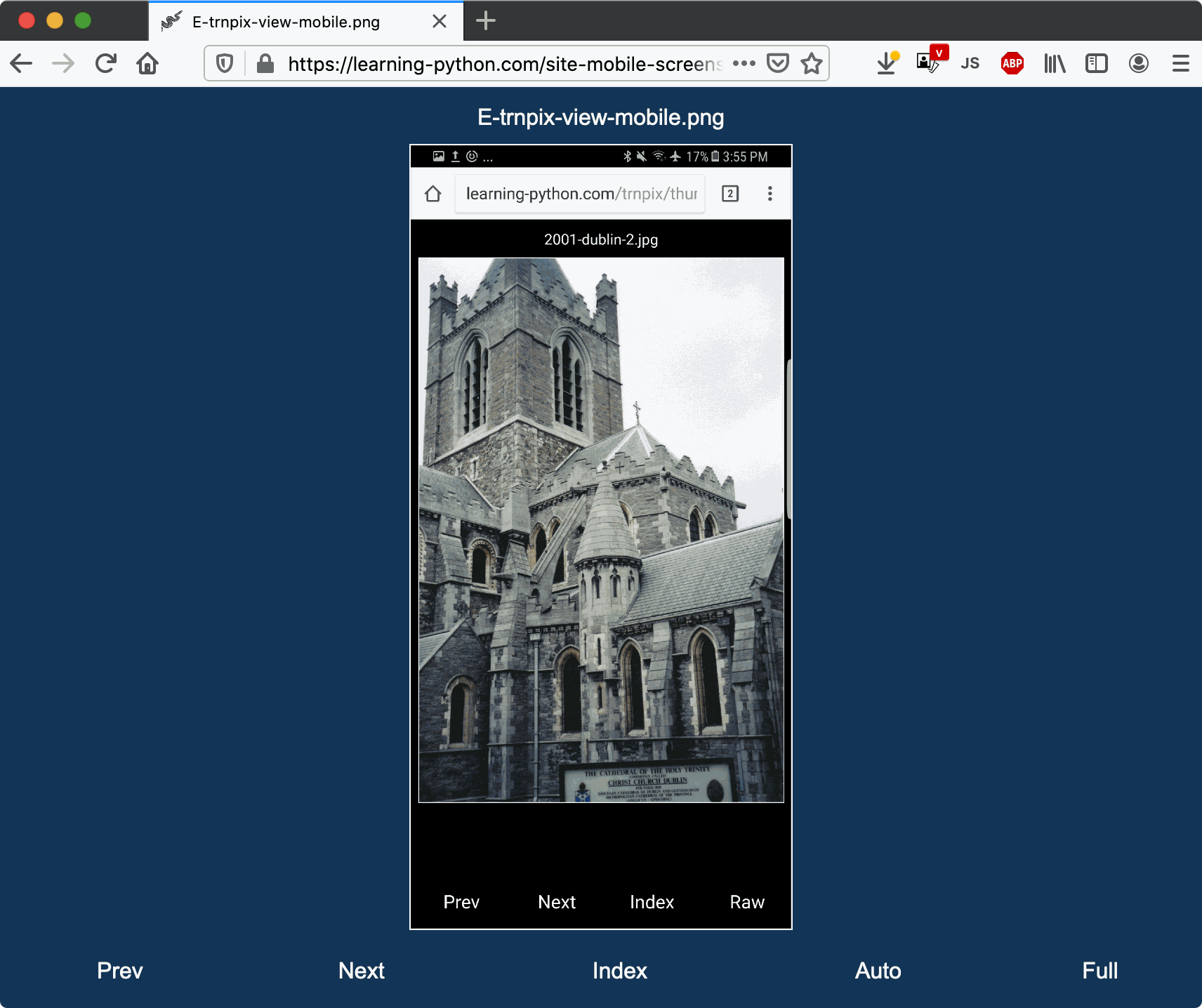
thumbspage is used for all the galleries on this website (roughly 50 at last count) and comes with complete usage examples, in-program documentation, and a comprehensive HTML User Guide with information for both gallery viewers and builders. See the resources listed below for more details.
If you prefer to learn by example, study the 3.0 demo as well as others here and here. For illustration, these demos use custom headers and settings, which you don't need to code if the defaults work for your galleries. Demos labeled with (notes) ahead have 2.3+ image notes.
The Docs
- Quick Start — brief usage info reflecting the latest 3.0 release
- UserGuide.html — the full story for creators and consumers
The Code
- thumbspage.py — main script: run this to make galleries (2258 lines)
- template-viewpage.html — Python-expanded HTML+CSS+JavaScript (2668 lines)
- template-floatingtop.html — Python-expanded HTML+CSS+JavaScript (75 lines)
- template-autothemes.html — Python-expanded CSS (96 lines)
- viewer_thumbs.py — image thumbnails and rotations, from PP4E (887 lines)
- user_configs.py — Python-coded configuration options (1098 lines)
Live Demos
Clients
- Training photos (notes) — the initial use case, and a 3.0 demo
- Book screenshots — program examples get a fresh look
- Mobile conversion — with custom colors and fonts
- Mergeall, tkinter, changes, gadgets, deltas (notes) — Android demos
- PyGadgets, PyEdit, Frigcal, Mergeall, PyMailGUI — app screenshots
- PC-Phone USB Sync — Play-store sync app (off-site)
- Frigcal — Play-store calendar app (off-site)
Packaged
- Demo (notes) and screenshots for the latest 3.0 release
- 2.3 (notes), 2.2, 2.1, 2.0, 1.7 — recently added features
- Dynamic layout — 2.1's index-page alternative
- Image rotation — auto-reorientation of tilted photos
- Unicode content — non-ASCII filenames and page inserts
- Subfolder links — auto-generation of links to nested folders
- Image types — a medley of common and supported formats
- Older screenshots — yes, thumbspage is used on itself
Collections
- Console interaction — how to build galleries
- Examples folder — the complete packaged set
Download
thumbspage is provided as open-source and portable source code that you run with a Python installed separately (for example, in Terminal on macOS and Linux, Command Prompt on Windows, or a mobile-platform app). Use the following links to either fetch thumbspage and unzip it on your computer, or view its complete unzipped content online.
Starting with 2.1, thumbspage can be downloaded in a
program-only zip, which contains the complete runnable program
but omits the examples folder and ships with a
User Guide whose example links have all been
adjusted
to open online resources.
Select the first download link below to fetch this new and smaller
package. Other links download the full package or just the examples,
and all downloads unzip to a top-level thumbspage folder.
Online versions:
examples,
guide.
Fetch and Browse
Download
- thumbspage-program-only.zip — Program + User Guide (small)
- thumbspage-examples-only.zip — Examples only, standalone (large)
- thumbspage-full-package.zip — Program + User Guide + Examples (larger)
View
- Unpacked content — full-package zipfile content online
What's New
This program's latest version: 3.0.1, August 12, 2025.
Version 3.0.1 extends 3.0 with a minor patch that prevents recent releases of Android Chrome from intercepting and consuming down swipes in viewer pages, where they are used for info popups. No new functionality is included in this version.
Version 3.0 adds end-of-gallery indicators, swipe gestures on touchpads and mousewheels too, embedded HTML tags and entities in notes, keypresses where available, explicit ordering and captions, a precoded dark mode, and more. 3.0 is potentially backward incompatible because it mods some preset default configurations that may impact builds and console inputs, and it recognizes HTML tags and entities escaped with a leading underscore in note text.
See also the recent-changes list above, and 3.0's release notes, quick start, gallery demo, and screenshots. The final release of the prior version of thumbspage, 2.3, can be fetched in program-only form here.
Related Programs
- shrinkpix can optimize the size of images in thumbspage galleries published online.
- PyPhoto (in PyGadgets) is a GUI-based image viewer, which acquired thumbspage's image rotation as told here.
- tagpix is a photo-folder organizer tool, whose results may work well as thumbspage galleries.
- pixindex zips and uploads images and a non-thumbnail index page.

For more code examples, see the Programs page on this website.