Python Programming Tutorials
3D Bar Chart with Matplotlib
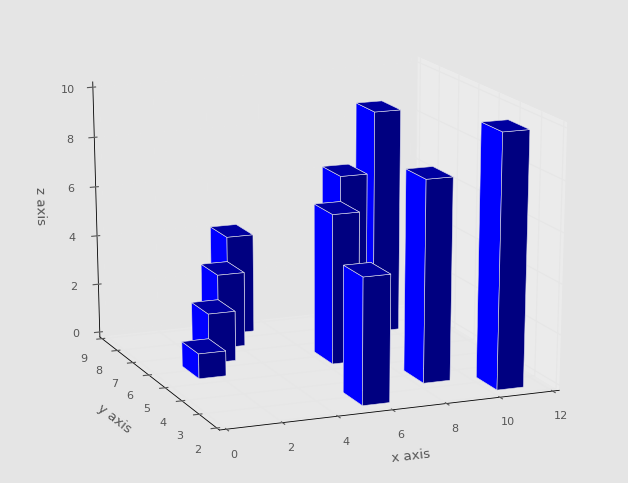
In this Matplotlib tutorial, we cover the 3D bar chart. The 3D bar chart is quite unique, as it allows us to plot more than 3 dimensions. No, you cannot plot past the 3rd dimension, but you can plot more than 3 dimensions.
With bars, you have the starting point of the bar, the height of the bar, and the width of the bar. With a 3D bar, you also get another choice, which is depth of the bar. Most of the time, a bar chart starts with the bar flat on an axis, but you can add another dimension by releasing this constraint as well. We'll keep it rather simple, however:
from mpl_toolkits.mplot3d import axes3d
import matplotlib.pyplot as plt
import numpy as np
from matplotlib import style
style.use('ggplot')

fig = plt.figure()
ax1 = fig.add_subplot(111, projection='3d')

x3 = [1,2,3,4,5,6,7,8,9,10]
y3 = [5,6,7,8,2,5,6,3,7,2]
z3 = np.zeros(10)

dx = np.ones(10)
dy = np.ones(10)
dz = [1,2,3,4,5,6,7,8,9,10]

ax1.bar3d(x3, y3, z3, dx, dy, dz)


ax1.set_xlabel('x axis')
ax1.set_ylabel('y axis')
ax1.set_zlabel('z axis')

plt.show()
Note here that we have to define x,y,z... and then 3 more dimensions for depth. This gives us: