Python Python Flask Rest Api Tutorial
Python Flask is a popular microframework utilized for web application development. In this article, we’ll delve deep into how to harness the power of Flask-RESTful to craft RESTful APIs efficiently.
Flask-RESTful is an extension for Python, specifically designed to facilitate rapid REST API development. This extension offers a straightforward abstraction ideal for integrating with ORM and other libraries.
Setting Up the Environment
Before diving into application creation, it’s imperative to set up a conducive environment that ensures the isolated installation of Python packages.
To achieve this, virtualenv is your go-to solution:
sudo pip install virtualenv
Following its installation, you can create and then activate a virtual environment, aptly named venv:
virtualenv venv
source venv/bin/activate
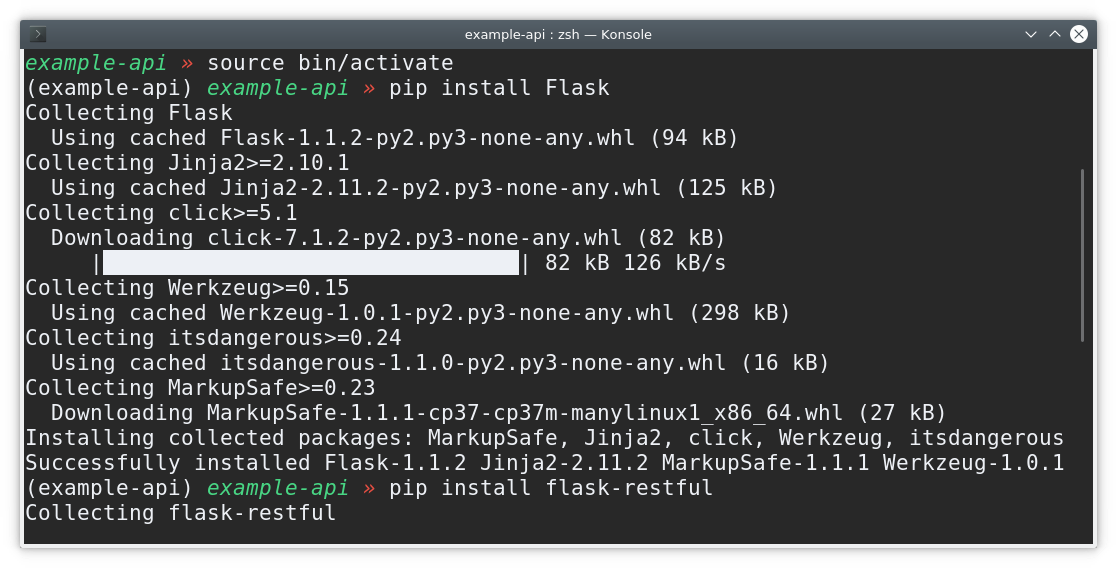
With the virtual environment up and running, it’s time to install Flask and Flask-RESTful:
pip install Flask
pip install flask-restful
Crafting a Flask Rest API
With the required libraries installed, let’s initiate the creation of a file named main.py. First on the agenda is importing Flask and the flask_restful module:
from flask import Flask
from flask_restful import Resource, Api

app = Flask(__name__)
api = Api(app)
For the sake of this demonstration, we’ll curate a small class as illustrated below:
class Quotes(Resource):
    def get(self):
        return {
            'bukowski': {
                'quote': ['Some people never go crazy. What truly horrible lives they must lead.',
                          'Can you remember who you were, before the world told you who you should be?'
                ]
            },
            'angelou': {
                'quote': ['You will face many defeats in life, but never let yourself be defeated']
            }
        }
Despite the static data used here, the flexibility of Flask allows for integration with dedicated servers. Following this, we need to add the crafted class to our API:
api.add_resource(Quotes, '/')
Collating everything, the final code resembles the following:
from flask import Flask
from flask_restful import Resource, Api

app = Flask(__name__)
api = Api(app)

class Quotes(Resource):
    def get(self):
        return {
            'bukowski': {
                'quote': ['Some people never go crazy. What truly horrible lives they must lead.',
                          'Can you remember who you were, before the world told you who you should be?'
                ]
            },
            'angelou': {
                'quote': ['You will face many defeats in life, but never let yourself be defeated']
            }
        }

api.add_resource(Quotes, '/')

if __name__ == '__main__':
    app.run(debug=True)
Once you run the script, the following output emerges:
~ » python api.py
* Serving Flask app "case" (lazy loading)
* Environment: production
WARNING: This is a development server. Do not use it in a production deployment.
Use a production WSGI server instead.
* Debug mode: on
* Running on http://127.0.0.1:5000/ (Press CTRL+C to quit)
* Restarting with stat
* Debugger is active!
* Debugger PIN: 730-804-219
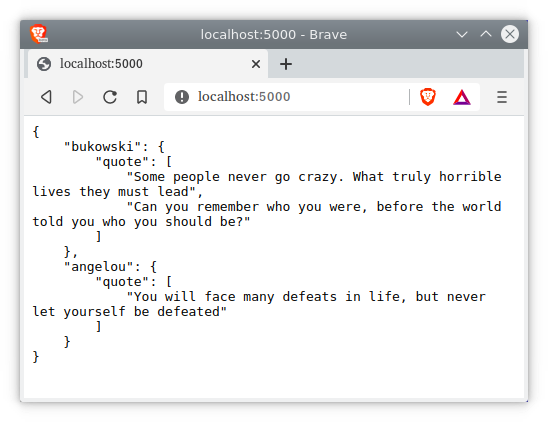
Just navigate to localhost:5000/ to view the comprehensive JSON object.
Diving into Resourceful Routing
For this segment, let’s begin by crafting the script showcased below:
from flask import Flask, request
from flask_restful import Resource, Api

app = Flask(__name__)
api = Api(app)

users = {}

class UserSimple(Resource):
    def get(self, user_id):
        return {user_id: users[user_id]}

    def put(self, user_id):
        users[user_id] = request.form['data']
        return {user_id: users[user_id]}

api.add_resource(UserSimple, '/user/<string:user_id>')

if __name__ == '__main__':
    app.run(debug=True)
To get a sense of this API’s capabilities, add a few users to the initially empty users dictionary via HTTP PUT requests. The Python shell is an excellent environment to emulate web browser requests:
from requests import put,get

put('http://localhost:5000/user/alice', data={'data': 'Alice'}).json()
put('http://localhost:5000/user/bob', data={'data': 'Bob'}).json()

get('http://localhost:5000/user/alice').json()
get('http://localhost:5000/user/bob').json()
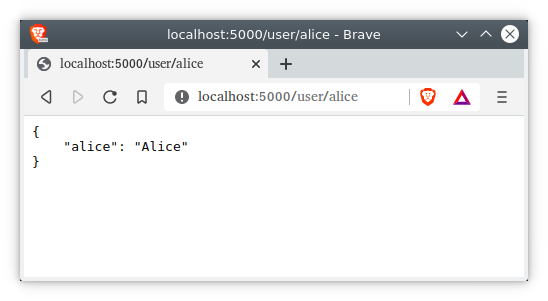
Furthermore, these GET requests can be executed directly from your web browser for a visual inspection.