Python Tuples Tutorial
Tuples in Python, Lets Go!
Variables can be of the datatype tuple. A tuple is collection that cannot be modified.
It differs from a list, in that lists can be changed or modified after creation.
A tuple is defined using parenthesis ( and ) instead of [ and ] that a list uses.
If you want to change the data during program execution, use a list instead of a tuple.
Related Course: Practice Python with interactive exercises →
Python tuple
A tuple is an immutable sequence type. A tuple is a sequence, but its values cannot be altered.
The values of a tuple cannot change. This is very important, because this is the only difference between a list.
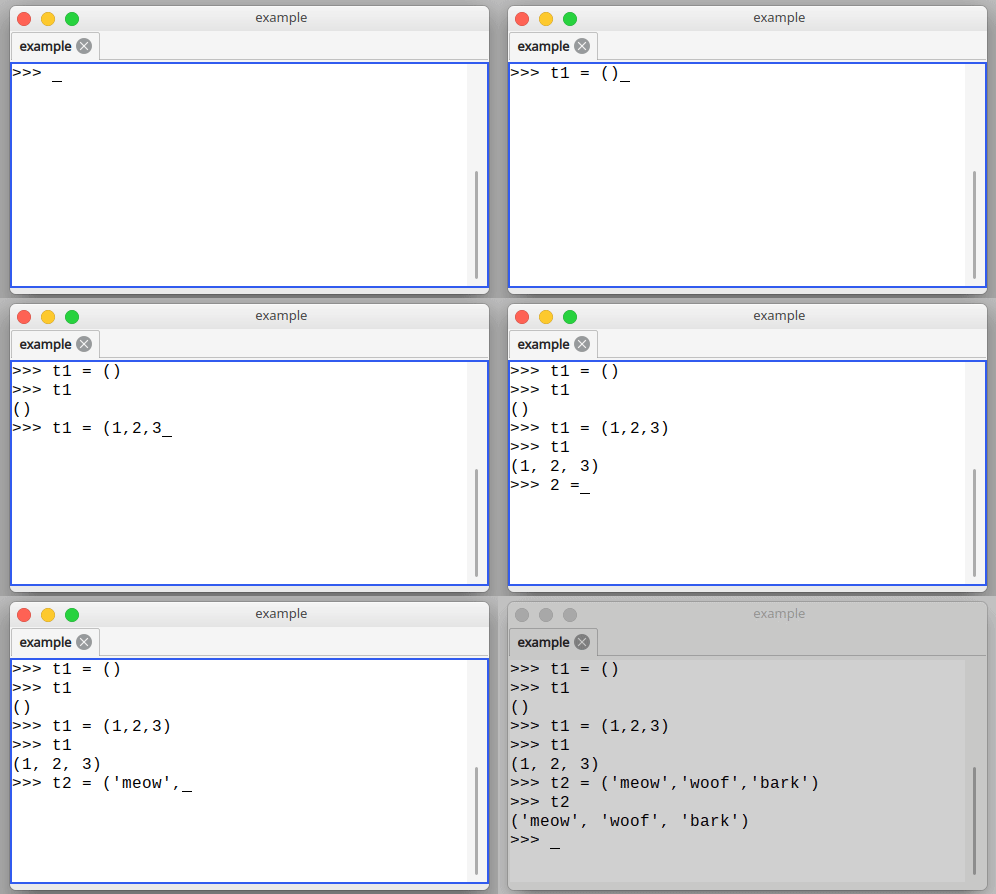
To create a tuple, all you need to do is define a set of comma-separated values between the parenthesis.
An empty tuple would be defined as:
tup1 = ()
be careful with parenthesis,
()is a tuple and[]is a list and{}a dictionary
A tuple with one item ( a comma is needed in the end ):
x = (1,)
x = (1,2,3,4)
You can create all kinds of tuples:
t1 = ('physics', 'chemistry', 'geography', 'history')
t2 = (1, 2, 3, 4, 5 )
t3 = ("a", "b", "c", "d")
Note: Even if your tuple has only one element, the comma is needed between the parenthesis.
Related Course: Practice Python with interactive exercises →
Accessing tuples
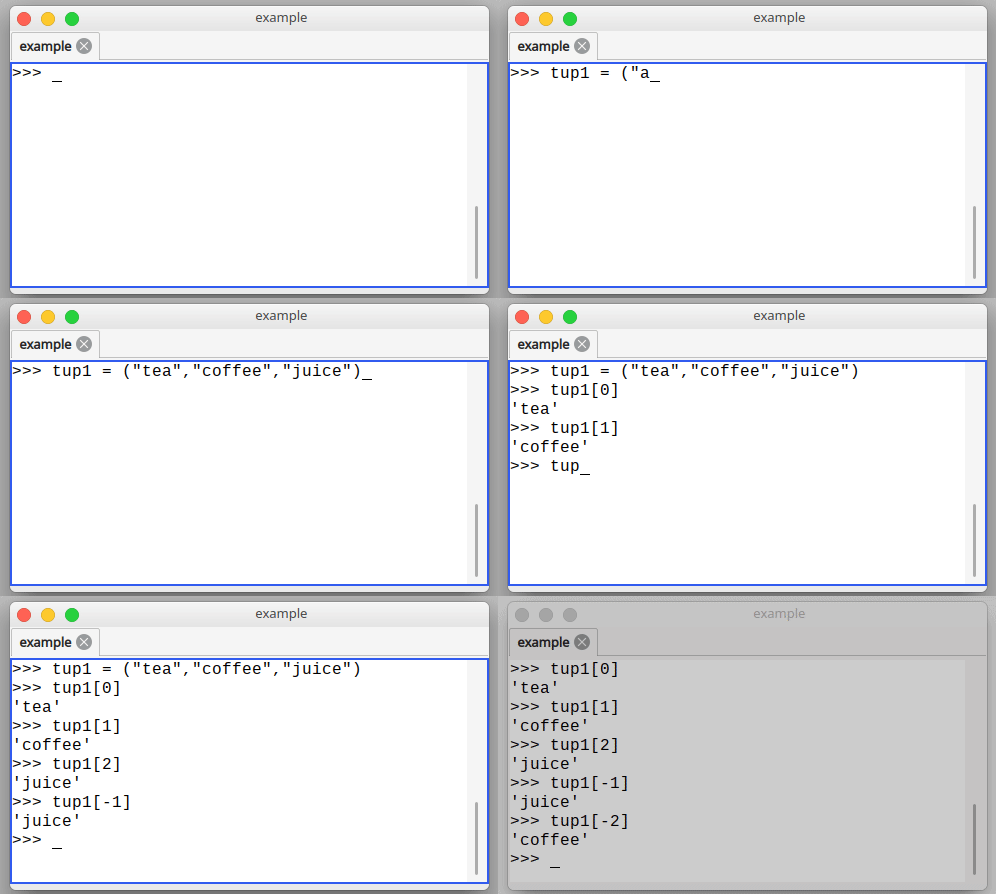
To access individual elements, we use square brackets. To print the first element (Python starts counting from zero):
print(x[0])
print(x[1])
You can access tuples both in the interpreter and during code execution.
In the interpreter python, you can type commands.
Lets create a tuple
>>> t1 = ('coffee','tea','orange juice','lemonade')
Then output some elements
>>> t1[0]
'coffee'
>>> t1[1]
'tea'
And why not try to change a value
>>> t1[1] = 'water'
Traceback (most recent call last):
  File "<stdin>", line 1, in <module>
TypeError: 'tuple' object does not support item assignment
>>>
Remember, the contents of a tuple cannot be changed after creation.
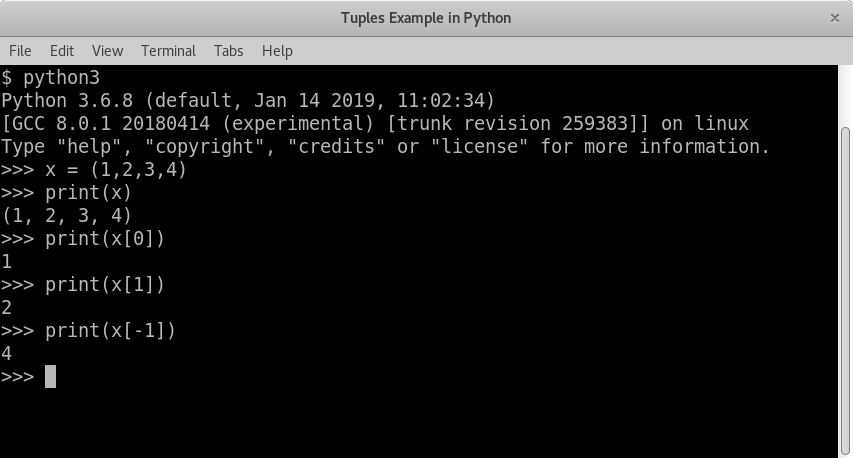
To print the last element, you can count from the back using the minus sign.
print(x[-1])
Related Course: Practice Python with interactive exercises →
Tuple Unpacking
You can unpack a tuple. A package tuple object has more than one value like:
>>> t = (1,2,3)
To unpack the tuple you can do this:
>>> x,y,z = t
Then each variable (x,y,z) will contain one of the tuples values:
>>> x
1
>>> y
2
>>> z
3
>>>
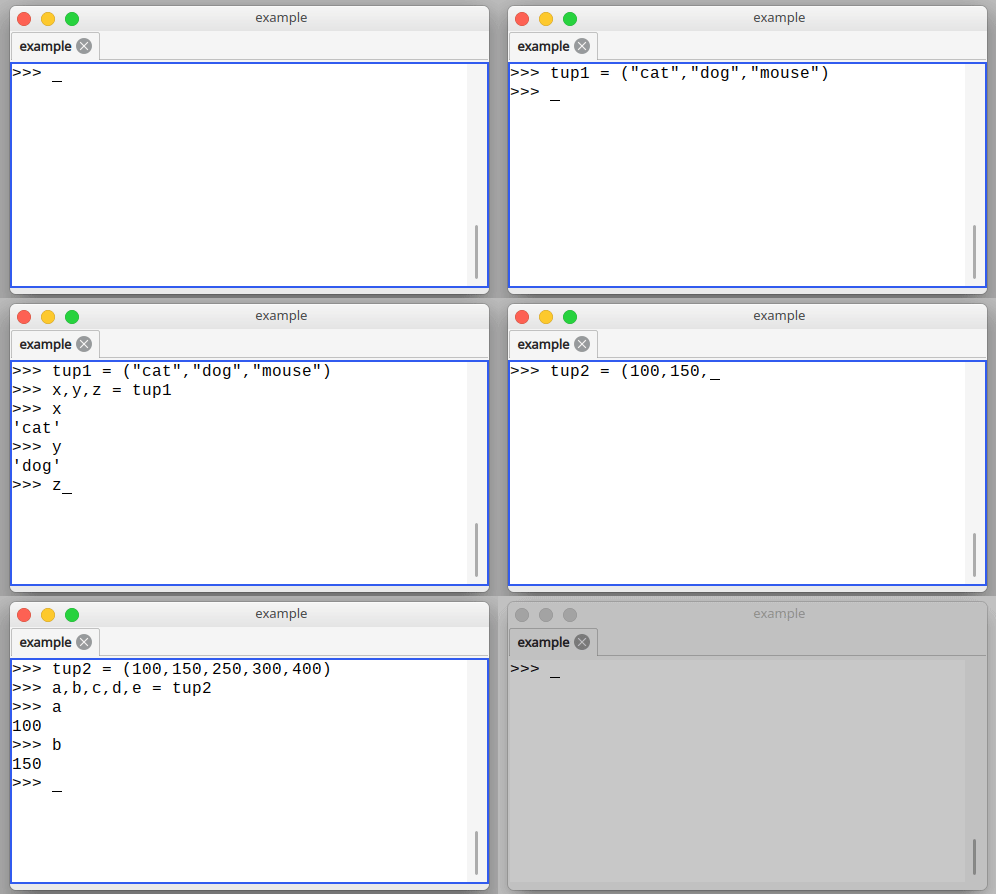
When unpacking, the number of variables must match the number of values in the tuple:
>>> t = (1,2,3)
>>> x,y = t
Traceback (most recent call last):
  File "<stdin>", line 1, in <module>
ValueError: too many values to unpack (expected 2)
>>>
Related Course: Practice Python with interactive exercises →
Tuple assignment
If you define a tuple, Python allows the parenthesis to be left out. In Python these are the same:
>>> t = (1,2,3)
>>> t = 1,2,3
So you can do unpacking like this:
>>> t = 1,2,3
>>> t
(1, 2, 3)
>>>
>>> x,y,z = t
>>> x
1
>>> y
2
>>> z
3
>>>
So it works both if parenthesis are written or left out. For clarity, you could add them.
When in doubt, you can always call type().
>>> type(t)
<class 'tuple'>
>>>
Python tuple append
Once defined, the contents of a tuple cannot be changed.
>>> t = (1,2,3)
>>> t.append(4)
Traceback (most recent call last):
  File "<stdin>", line 1, in <module>
AttributeError: 'tuple' object has no attribute 'append'
>>>
That is by design. If you want to append values, you should use a list.
Note: Tuples cannot be changed. But what you can do, is create a new tuple and overwrite it.
However, you can add a tuple to a tuple:
>>> t = t + (4,)
>>> t
(1, 2, 3, 4)
>>>
A new element has been appended at the end of the tuple, by appending two tuples.
Related Course: Practice Python with interactive exercises →
Python tuple insert
Start with a tuple, like this:
>>> t = (1,2,4,5)
To insert a new tuple, create three tuples and the tuple to insert will go in the middle.
So you can use tuple slicing [start:end] and combine.
The example below shows how a new tuple is created with a new element in the middle:
>>> t = t[0:2] + (3,) + t[2:4]
>>> t
(1, 2, 3, 4, 5)
Python tuple modify
The contents of a tuple cannot be changed. If you try it will throw an TypeError.
>>> t[1] = 2
Traceback (most recent call last):
  File "<stdin>", line 1, in <module>
TypeError: 'tuple' object does not support item assignment
>>>
You can get around this by creating a new tuple.
>>> t = (1,2,3,4,5)
>>> t = t[0:1] + (0,) + t[2:]
>>> t
(1, 0, 3, 4, 5)
>>>
Python tuple delete
An element cannot be deleted. You can only create a new tuple without that element.
If you have this tuple:
>>> t = (1,2,3,4,5)
You can create a new one using slicing:
>>>
>>> t = t[0:1] + t[2:]
>>> t
(1, 3, 4, 5)
>>>
If you want to change the contents of a tuple (append, delete, modify,…) you should use a list instead.
Python tuple to list
To convert a tuple to a list, call the list() function.
>>>
... t = (1,2,3,4,5)
>>>
>>> mylist = list(t)
If you output mylist, you’ll see its a list:
>>> mylist
[1, 2, 3, 4, 5]
>>>
You can see the difference between lists and tuples by their parenthesis.
- Tuples use
() - lists uses
[].
Python list to tuple
A list can be converted to a tuple by calling the tuple() function:
>>> t = tuple(mylist)
Variable t is then a tuple:
>>> t
(1,2,3,4,5)
If you are a Python beginner, Practice Python with interactive exercises →
Run Python online: PythonAnywhere lets you host and run Python scripts in the cloud — free tier available.