Python Twisted Tutorial
Twisted - Event-driven network engine
Twisted is an event-driven network engine.
Its more general than CMS-like frameworks such as Flask or Django.
You can create many network applications including a custom server, low level sockets echo client, Bit-torrent client or even create a mail client.
Protocols
Related course: Django Web Developer Course
Protocols
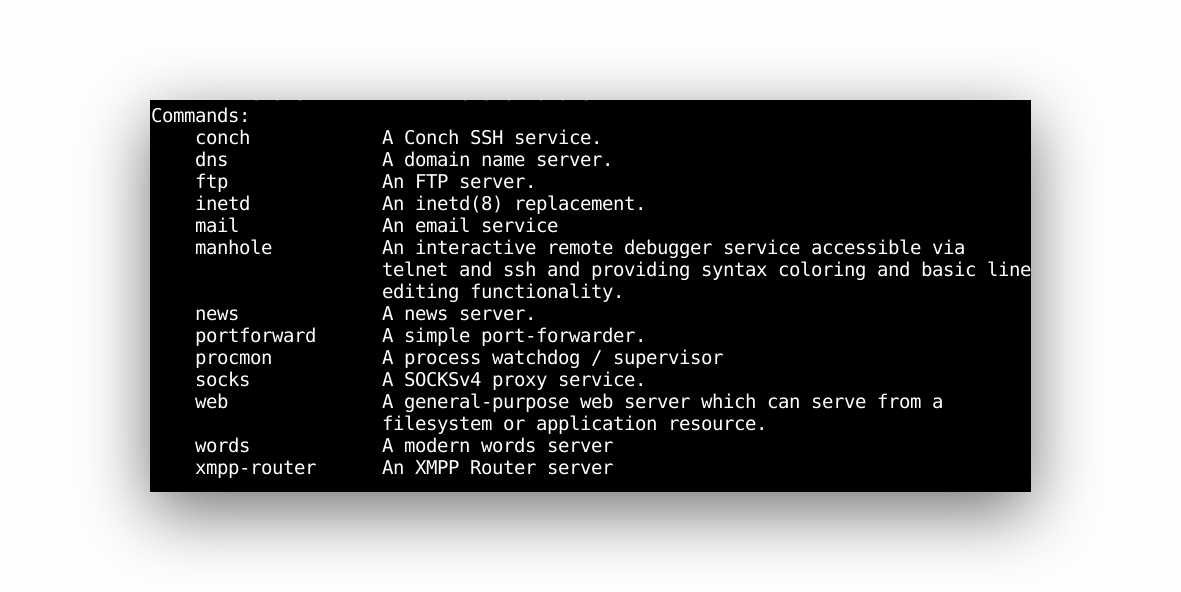
You don’t have to define the protocol. Twisted includes lots and lots of protocol implementations:
That includes: HTTP, FTP, SMTP, POP3, IMAP4, DNS, IRC, MSN, OSCAR, XMPP/Jabber, telnet, SSH, SSL, NNTP.
Install
Python Twisted can be installed with the command
pip install twisted
It’s recommended to use a virtual environment (virtualenv)
You can install virtualenv with pip:
pip install virtualenv
Navigate to your projects directory. Then run the commands below:
$virtualenv try-twisted
$ . try-twisted/bin/activate
$ pip install twisted[tls]
$ twist --help
Server
Twist supports many protocols out of the box.
A web server will be stared if you type the command
twist web
To open an ftp server, simply type
twist ftp
If you type the twist command you can see an overview of all supported protocols.
Run Python online: PythonAnywhere lets you host and run Python scripts in the cloud — free tier available.